Bambu Lab 3D Printers: Models, Prices and Which to Buy (2026)
In just a few years, Bambu Lab has become the brand most often recommended to beginners. Which Bambu Lab printer should you buy: the A1 Mini, the A1 Combo or the P1S? What do they cost and what are the brand’s limits? Here are the 5 models we have checked on Amazon.com.
* Affiliate link. As an Amazon Associate we earn from qualifying purchases, at no extra cost to you. We have not tested these printers ourselves: the information comes from the manufacturer and Amazon.com.
Key takeaways
- Bambu Lab focuses on ease of use: full automatic calibration, the Bambu Studio slicer and the MakerWorld model library built in.
- To start: the A1 Mini (compact) or the A1 Combo (bigger, with four colors). For ABS and ASA: the enclosed P1S.
- The AMS system prints in up to four colors per unit. It is included in the “Combo” versions.
- The downside: a more closed ecosystem than Prusa or Creality.
Bambu Lab at a glance
Bambu Lab is a Chinese company founded in 2020 in Shenzhen. Its first printer, the X1 Carbon, popularized an approach that was rare in consumer printers: a machine that calibrates itself, monitors the print and is used almost like a home appliance. The A1 and P1S series bring that approach to affordable prices.
The brand provides the whole chain: the printer, the Bambu Studio slicer, the Bambu Handy mobile app and the MakerWorld model platform, where you can start a print in a few clicks.
Bambu Lab printers on Amazon.com
| Model | Type | Build volume | Enclosed | Multicolor | Price* | Amazon |
|---|---|---|---|---|---|---|
| Bambu Lab A1 Mini (+ LED Lamp Kit) | Filament | 180 × 180 × 180 mm (7.1 × 7.1 × 7.1 in) | – | Optional | $249 | View* |
| Bambu Lab P1S (without AMS) | Filament | 256 × 256 × 256 mm (10.1 × 10.1 × 10.1 in) | Yes | Optional | $349 | View* |
| Bambu Lab A1 Combo (AMS lite + LED Lamp Kit) | Filament | 256 × 256 × 256 mm (10.1 × 10.1 × 10.1 in) | – | Included | $419 | View* |
| Bambu Lab P1S Combo (with AMS) | Filament | 256 × 256 × 256 mm (10.1 × 10.1 × 10.1 in) | Yes | Included | $479 | View* |
| Bambu Lab P2S Combo (with AMS 2 Pro) | Filament | 256 × 256 × 256 mm (10.1 × 10.1 × 10.1 in) | Yes | Included | $779 | View* |
* Prices checked on Amazon.com. Build volume according to the manufacturer.
Which Bambu Lab printer should you buy?
Best for beginners on a budget
Bambu Lab A1 Mini
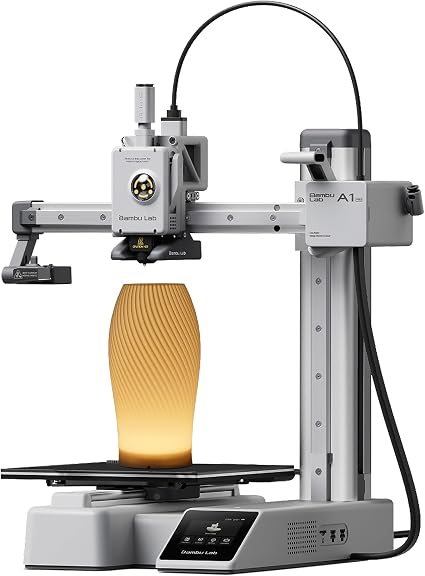
Full automatic calibration, active flow rate compensation and quiet operation (up to 48 dB according to Bambu Lab). The 180 × 180 × 180 mm build volume limits it to objects under about 7 inches, but for a first printer that is often enough. The Amazon.com set includes an LED lamp kit, and the AMS lite can be added later for color.
View on Amazon*Best for multicolor
Bambu Lab A1 Combo

The A1 with a 256 × 256 × 256 mm build volume and the AMS lite, which switches between four spools automatically. The easiest way into multicolor printing. Like the A1 Mini, it has an open frame: fine for PLA, PETG and TPU, not for ABS.
View on Amazon*Best enclosed printer
Bambu Lab P1S
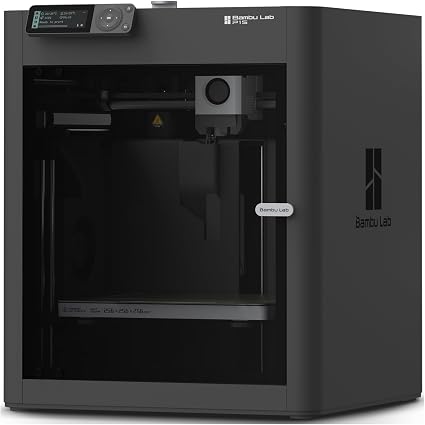
A fully enclosed CoreXY printer, ready to use out of the box. The enclosure keeps the heat in, which helps with ABS and ASA. It ships without the AMS: the P1S Combo* ($479) includes it. Both prices were limited-time deals when we checked.
View on Amazon*The newer P2S Combo* ($779) is the successor to the P1S: enclosed, up to 600 mm/s according to Bambu Lab, with AI failure detection and the AMS 2 Pro, which also dries the filament. It costs noticeably more than the P1S Combo.
Strengths and limits of Bambu Lab
- Strengths: very complete automatic calibration, integrated software and model library, multicolor with the AMS, a range that grows with you.
- Limits: a more closed ecosystem (proprietary parts and firmware), and the cloud connection is optional but central to the experience. Spare parts come mainly from Bambu Lab.
FAQ
Which Bambu Lab printer is best for beginners?
The A1 Mini if budget and space are tight, the A1 Combo if you want a bigger build volume and color. Both calibrate themselves fully. Choose the P1S if you plan to print ABS or ASA.
What is the difference between the A1 and the P1S?
The A1 has an open frame with a moving bed. The P1S is an enclosed CoreXY printer, faster and suited to ABS and ASA thanks to its enclosure. Both work with Bambu Lab’s color systems (AMS lite for the A1, AMS for the P1S).
Is the Combo version worth it?
If you want color prints, yes: the Combo includes the AMS unit and usually costs less than buying it separately. If you only print one color, the version without AMS is enough, and the AMS can be added later.